 by
by Official Website: Steam Store Page
Developers: Burning Arrow
Publisher: Deck 13 (cancelled)
Role: Gameplay Programmer (3 months contract 2016)
Shipped: Yes (Early Access Only, Since Cancelled)
Platform: PC (Steam)
The Other 99 is a single player, first-person, action-survival game. Ripped from your ordinary life you awaken on a desolate island with nothing but a note that reads, “The only way off the island is through The Other 99”.
Steam Early Access description.
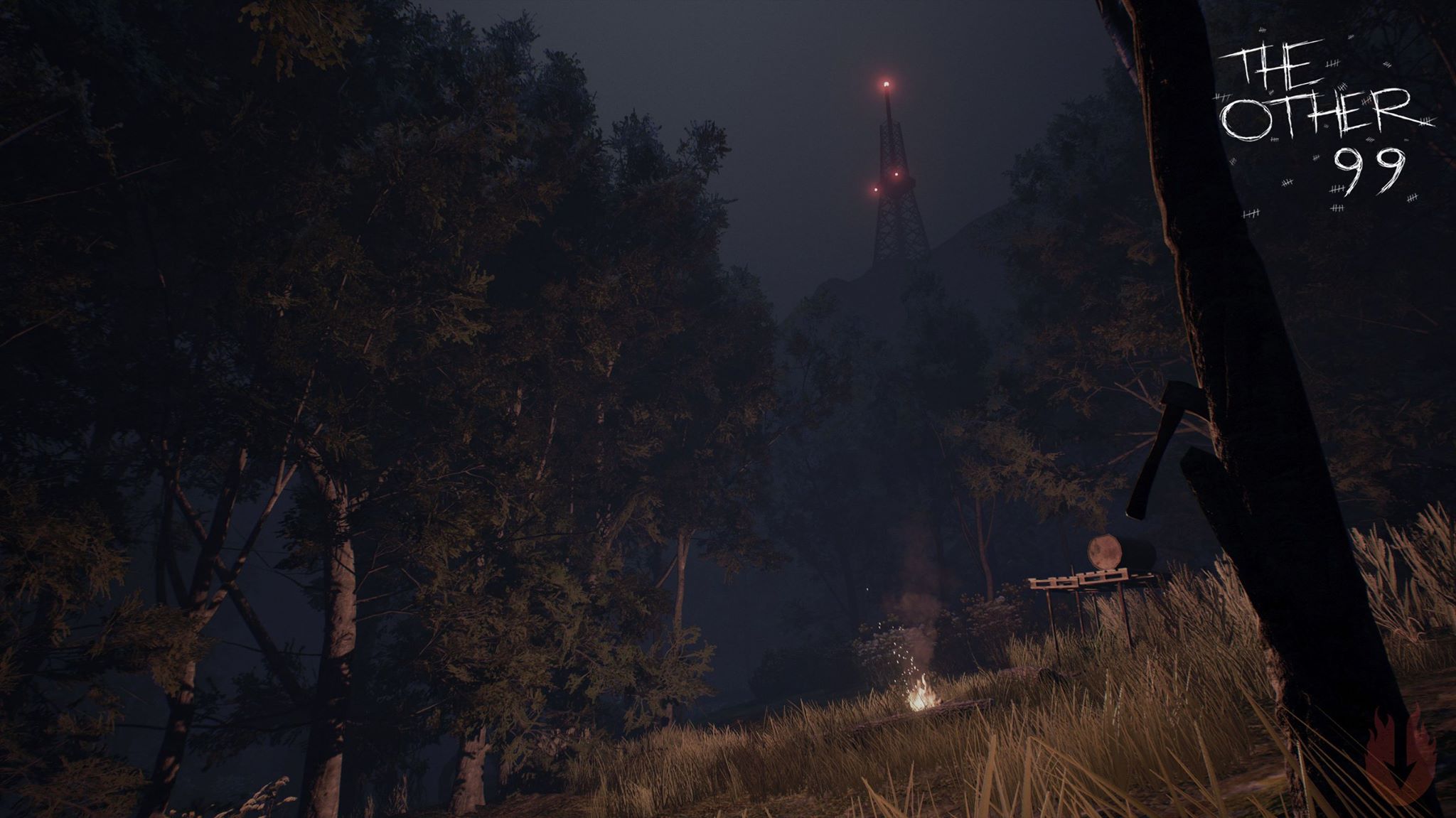
The Other 99 was a single-player Battle Royale game that pitted the player against 99 AI characters in a fight for their lives on a Hebridean island arena off the coast of Scotland.
Unfortunately due to low sales and lack of funding, the Early Access title was cancelled and Burning Arrow closed their doors sometime in 2017. Therefore the game is no longer available on Steam.
However, during my brief contracting on the game in the 3 months leading to Steam Early Access launch, I was given responsibility of the various gameplay features, animation systems, and UI programming that needed creating for the game. The 2 programmers in the team had their full time dedicated to the Combat and AI systems respectively.
As such, features were delegated to me including (but not limited to) the following:
- World Map and Landmarks
- For flexibility, I created a tool that allowed designers to determine the bounds of the gameplay area. Once these bounds had been defined, a high resolution orthographic screenshot was taken from above which artists could then use in photo editing software to create a “hand-drawn” version.
As the player navigated the world, a mask was created based on their exploration routes slowly uncovering the map.As with most open world games, there were landmarks the player could discover and mark upon their map.
Once a player was within X units range of these landmarks, they would appear on their map as a question mark. Once they were within Y units range the landmark had it’s own custom icon with accompanying text.
- For flexibility, I created a tool that allowed designers to determine the bounds of the gameplay area. Once these bounds had been defined, a high resolution orthographic screenshot was taken from above which artists could then use in photo editing software to create a “hand-drawn” version.
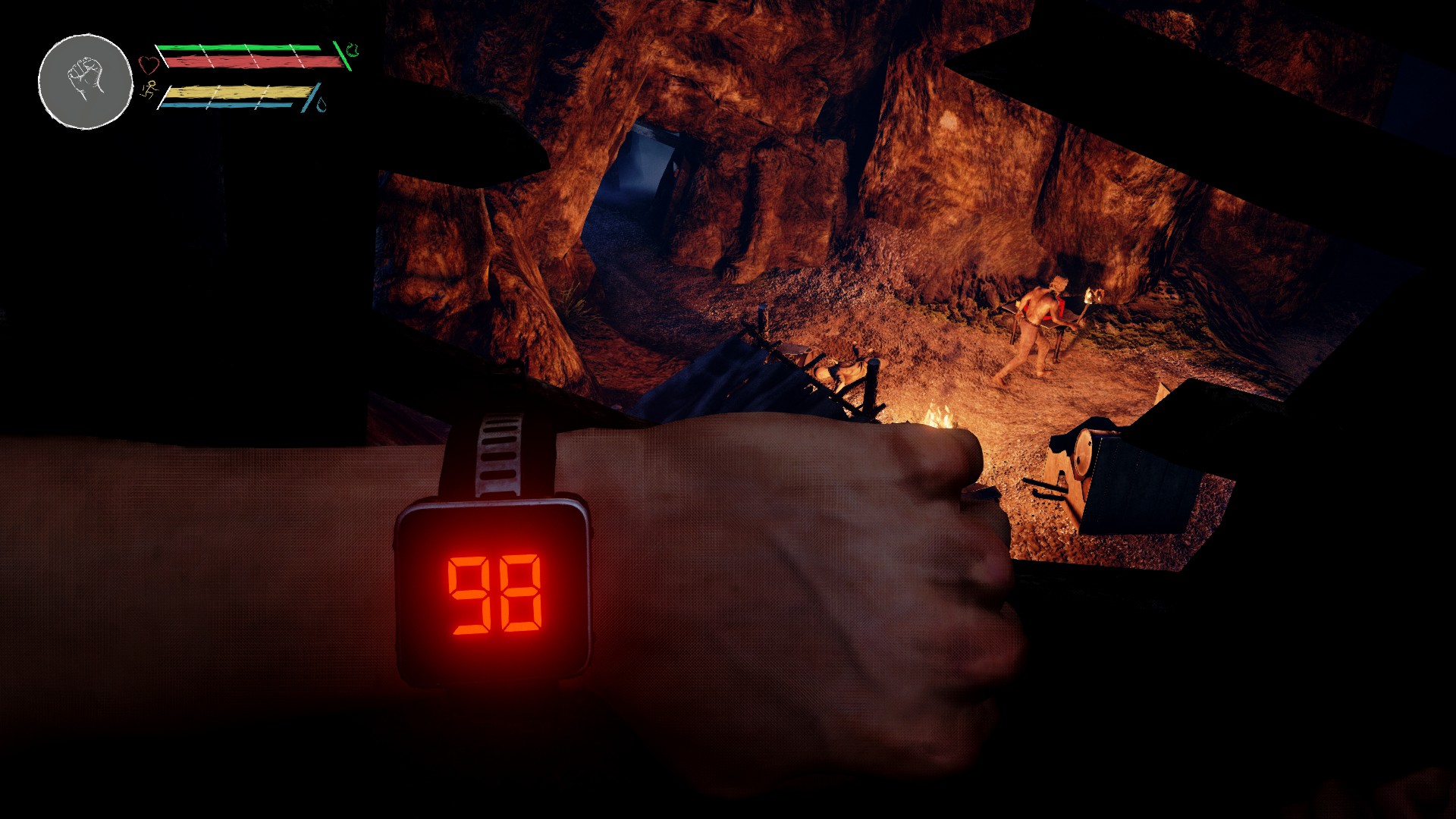
- Enemies remaining “watch”
- In battle royale games, a staple UI piece is a counter showing the number of people still alive in the match. In The Other 99, this was actually represented via an in-game wrist display that was strapped on by the mysterious organisers who ran the arena.I had the task of working with our artists, animators, and sound designers to create the “watch”. Starting with 99, this digital display would whittle down to 00 death by death. As this object was created as a blueprint, we were able to efficiently add a working instance of it to each and every character’s wrist in the game due to a single material instance. This meant that if you and another AI were close to one another (but unaware of presence) you could both hear the other’s wrist display’s “death beep” upon the count changing – an interesting emergent mechanic.
- Security Cameras
- Throughout the map “big brother” is watching. Various CCTV cameras are observing the island and it’s survivors. The cameras had a simple panning path from left to right, and once they spotted a player or AI character, their path would be interrupted and the character would become their main focus (With LED changing from green to red).
- Memory escapes me (as it was quite a long time ago) but I remember that there was some component of this that effected the AI. Either the camera emitted sound once a person was spotted (attracting AI attention and the player’s) or it was the plan to expand it out that way in the future.Players could break these cameras by throwing a rock at their electronics box (see below).
- Throughout the map “big brother” is watching. Various CCTV cameras are observing the island and it’s survivors. The cameras had a simple panning path from left to right, and once they spotted a player or AI character, their path would be interrupted and the character would become their main focus (With LED changing from green to red).
- Throwable Rocks
- The game featured throwable rocks (inspired by Far Cry) that provided a technique for distracting AI. Once the rock landed, it would create noise stimulus for nearby AI who would go and investigate the area.If hit directly with the rock, AI would take damage.If thrown at camera electronic boxes, the camera’s would deactivate permanently.
- Traps
- The island featured some simple tin can alarm string traps. If a player walked through these traps, the tin cans would collide, spawn audio, and draw the attention of nearby AI who had set them up. These would often be found around camp fires or in tight passageways.
- Campfires and Torches
- Night time in the game was (purposefully) very dark. Therefore the player was encouraged to find and light campfires at night, and light a torch if they wanted to explore the surrounding areas.
Due to the high amount of foliage in the game, torches were quite a difficult feature to implement in terms of performance. A dynamic light in a densely populated level was certainly a challenge to overcome, especially back in 2016 when UE4 wasn’t quite as optimised as it is now!Campfires has previously been implemented by the team, but their “procedural” camp system was buggy and unreliable. I was given the task of rewriting the procedural camp system which in the end turned into a design authoring tool.
This tool allowed for designers to hit “regenerate” and view various randomly generated variations of their current camp site. Ones they liked could then be tweaked and saved for selection at runtime by the game. This meant that each of the game’s camp sites could look totally different to the previous playthrough including- Fire placementLit or unlitSurrounding foliageToolsWeapons and supplies
- Night time in the game was (purposefully) very dark. Therefore the player was encouraged to find and light campfires at night, and light a torch if they wanted to explore the surrounding areas.
- Story crafting collectables
- Early access story had a few different potential endings. Some of these endings required the player to find certain crafting materials to build something (for example, repairing a boat to escape the island).This was a simple event based system of collectable components vs a checklist. Once a component was picked up it was marked as collected for the mission. Once all the items had been collected, the player could interact with the “build site” to combine the pieces into the final object.
All of these pieces also added themselves to the player’s inventory, and appropriately removed themselves afterwards.
- Early access story had a few different potential endings. Some of these endings required the player to find certain crafting materials to build something (for example, repairing a boat to escape the island).This was a simple event based system of collectable components vs a checklist. Once a component was picked up it was marked as collected for the mission. Once all the items had been collected, the player could interact with the “build site” to combine the pieces into the final object.
- Lockbox puzzles
- Lockboxes served as a puzzle gameplay element for the player. Often the combination for a locked toolbox would be hidden around the nearby environment as decals or on notes that the player could collect.The combination lock itself had the appearance of a “Skyrim” or “Fallout” style lockpicking challenge. To achieve this, the combination lock blueprint was held below the map in a “green screen” style box. This was then captured via a 2D Scene Capture component and the green was chroma keyed out leaving only the lock. This view was then added to screen where the players inputs would be forwarded to the blueprint for turning the wheels and such.
Once the player had input the correct combination, the view of the combination keys would disappear and the box would unlock and reveal it’s contents.
- Lockboxes served as a puzzle gameplay element for the player. Often the combination for a locked toolbox would be hidden around the nearby environment as decals or on notes that the player could collect.The combination lock itself had the appearance of a “Skyrim” or “Fallout” style lockpicking challenge. To achieve this, the combination lock blueprint was held below the map in a “green screen” style box. This was then captured via a 2D Scene Capture component and the green was chroma keyed out leaving only the lock. This view was then added to screen where the players inputs would be forwarded to the blueprint for turning the wheels and such.
- HUD UI
- The gameplay HUD (including health bar, stamina bar, weapon condition UI, was all designed in collaboration with the lead designer. Based on his mock-ups, I requested the art assets I needed to bring it to life. Combining my UMG creation with my UI programming, and the designers HUD vision came to life.
- Menu UI
- Similar to the HUD UI, the menus needed revamping. Based on concepts and incoming art assets, I programmed the various pause, map, and inventory menus.
- Perspective Puzzles
- Another puzzle element to the game, certain areas of the island contained Batman Arkham Asylum Riddler style perspective puzzles. These puzzles often stretched arrows across the environment (from a certain perspective) and unlocked a collectable at the spot they were pointing to (for instance, a rock that could be flipped over to reveal a scrap of paper). They were only visible at night due to having been painted with “glow in the dark spray paint”.I can remember that these provided something of a performance challenge. Initially we were going to use decals, but due to performance or some bug at the time we ended up moving over to a spotlight with specific IES profile/mask.
- Notification System
- Once the player picked up an item, a small UI notification would appear on screen to let them know what they had just picked up. This would remain on screen for a few seconds before fading away. A max of 3 messages could display on screen at any one time, so if the player picked up a large number of items in a short space of time, I created a queue system to play the notifications one-by-one.
- Inventory system
- As it was a while ago, memory is escaping me again! I think the inventory system already existed in some code form, but it needed improving, expanding and exposing out for UI and designers to access. I believe I created a structure for designers to add information to various weapons, supplies etc including HUD icon, inventory icon, category etc.
- Weapon Condition System


 Samuel Pike